What is it?
A computing interface to a software component or a system, that defines how other components or systems can use it.- The kinds of calls or requests that can be made
- how to make them
- data formats that should be used
- conventions to follow
Referer: page making the requestAccept: acceptable response data types (text, pdf, etc.)Cookie: contains specific user dataContent-Type: of returned object (text, pdf, etc.) Set-Cookie: user data to store in browserLocation: Instruction to look elsewhere
							POST /echo?urlarg=newUser HTTP/1.1
							Host: scooterlabs.com
							Connection: keep-alive
							Content-Length: 39
							Cache-Control: max-age=0
							Upgrade-Insecure-Requests: 1
							Origin: http://localhost
							Content-Type: application/x-www-form-urlencoded
							User-Agent: Mozilla/5.0 (Windows NT 10.0……
							Accept: text/html,image/webp,img/apng…
							Referer: http://localhost/lectures/apis/form.html
							Accept-Encoding: gzip, deflate
							Accept-Language: en-US,en;q=0.9,he;q=0.8
									<a href="http://…/echo?myname=David…">

									<form method="post"
									  action="http://…/echo?urlArg=newUser">
Input: <input name="textbox" type="text">?) of url“The classic web application model works like this: Most user actions in the interface trigger an HTTP request back to a web server. The server does some processing — retrieving data, crunching numbers, talking to various legacy systems — and then returns an HTML page to the client. It’s a model adapted from the Web’s original use as a hypertext medium, but as fans of The Elements of User Experience know, what makes the Web good for hypertext doesn’t necessarily make it good for software applications.”


								<!DOCTYPE html>
								<html lang="en">
								<head>
								<meta charset="utf-8">
								<link rel="dns-prefetch" href="https://github.githubassets.com">
								<link rel="dns-prefetch" href="https://github-cloud.s3.amazonaws.com">
								<link rel="dns-prefetch" href="https://user-images.githubusercontent.com/">

								<link crossorigin="anonymous" media="all" integrity="sha512-bqIvTjrYM8hmo8Y7y5fzsxn+OAFrHWG6byMAbBSM9qFe8NQymQqFeBaF2MGvAwy7x2s4bnzXE5bDGHnrQjtoQQ==" rel="stylesheet" href="https://github.githubassets.com/assets/github-6ea22f4e3ad833c866a3c63bcb97f3b3.css" />

								<meta name="viewport" content="width=device-width">

								<title>karger (David Karger)</title>
								<meta name="description" content="karger has 31 repositories available. Follow their code on GitHub.">
								<link rel="search" type="application/opensearchdescription+xml" href="/opensearch.xml" title="GitHub">
								<link rel="fluid-icon" href="https://github.com/fluidicon.png" title="GitHub">
								<meta property="fb:app_id" content="1401488693436528">

								<meta name="twitter:image:src" content="https://avatars3.githubusercontent.com/u/1141086?s=400&v=4" /><meta name="twitter:site" content="@github" /><meta name="twitter:card" content="summary" /><meta name="twitter:title" content="karger - Overview" /><meta name="twitter:description"
								content="karger has 31 repositories available. Follow their code on GitHub." />

								<div class="js-profile-editable-area">
								<div class="hide-sm hide-md">
								<button name="button" type="button" class="btn btn-block mt-2 mb-3 js-profile-editable-edit-button" data-hydro-click="{"event_type":"user_profile.click","payload":{"profile_user_id":1141086,"target":"INLINE_EDIT_BUTTON","user_id":1141086,"originating_url":"https://github.com/karger"}}" data-hydro-click-hmac="15cf48f81af651c181ded3e3432629aaaed4c49127d0ccb02f75963a43bf695d">Edit profile</button>
								</div>

								<div class="p-note user-profile-bio mb-2 js-user-profile-bio"><div>
								Professor of Computer Science at MIT CSAIL, focusing on human computer interaction, end user application development, and computer supported collaborative work.</div></div>

								<ul class="vcard-details mb-3">
								<li itemprop="worksFor" show_title="false" aria-label="Organization: MIT" class="vcard-detail pt-1 css-truncate css-truncate-target"><svg class="octicon octicon-organization" viewBox="0 0 16 16" version="1.1" width="16" height="16" aria-hidden="true"><path fill-rule="evenodd" d="M16 12.999c0 .439-.45 1-1 1H7.995c-.539 0-.994-.447-.995-.999H1c-.54 0-1-.561-1-1 0-2.634 3-4 3-4s.229-.409 0-1c-.841-.621-1.058-.59-1-3 .058-2.419 1.367-3 2.5-3s2.442.58 2.5 3c.058 2.41-.159 2.379-1 3-.229.59 0 1 0 1s1.549.711 2.42 2.088C9.196 9.369 10 8.999 10 8.999s.229-.409 0-1c-.841-.62-1.058-.59-1-3 .058-2.419 1.367-3 2.5-3s2.437.581 2.495 3c.059 2.41-.158 2.38-1 3-.229.59 0 1 0 1s3.005 1.366 3.005 4z"></path></svg>
								<span class="p-org"><div>MIT</div></span>
								</li>
								<li itemprop="homeLocation" show_title="false" aria-label="Home location: Cambridge, MA" class="vcard-detail pt-1 css-truncate css-truncate-target"><svg class="octicon octicon-location" viewBox="0 0 12 16" version="1.1" width="12" height="16" aria-hidden="true"><path fill-rule="evenodd" d="M6 0C2.69 0 0 2.5 0 5.5 0 10.02 6 16 6 16s6-5.98 6-10.5C12 2.5 9.31 0 6 0zm0 14.55C4.14 12.52 1 8.44 1 5.5 1 3.02 3.25 1 6 1c1.34 0 2.61.48 3.56 1.36.92.86 1.44 1.97 1.44 3.14 0 2.94-3.14 7.02-5 9.05zM8 5.5c0 1.11-.89 2-2 2-1.11 0-2-.89-2-2 0-1.11.89-2 2-2 1.11 0 2 .89 2 2z"></path></svg>
								<span class="p-label">Cambridge, MA</span>
								</li>
https://api.github.com
/users/karger
							{
							"login": "karger",
							"id": 1141086,
							"node_id": "MDQ6VXNlcjExNDEwODY=",
							"avatar_url": "https://avatars2.githubusercontent.com/u/1141086?v=4",
							"gravatar_id": "",
							"url": "https://api.github.com/users/karger",
							"html_url": "https://github.com/karger",
							"followers_url": "https://api.github.com/users/karger/followers",
							"following_url": "https://api.github.com/users/karger/following{/other_user}",
							"gists_url": "https://api.github.com/users/karger/gists{/gist_id}",
							"starred_url": "https://api.github.com/users/karger/starred{/owner}{/repo}",
							"subscriptions_url": "https://api.github.com/users/karger/subscriptions",
							"organizations_url": "https://api.github.com/users/karger/orgs",
							"repos_url": "https://api.github.com/users/karger/repos",
							"events_url": "https://api.github.com/users/karger/events{/privacy}",
							"received_events_url": "https://api.github.com/users/karger/received_events",
							"type": "User",
							"site_admin": false,
							"name": "David Karger",
							"company": "MIT",
							"blog": "http://people.csail.mit.edu/karger",
							"location": "Cambridge, MA",
							"email": null,
							"hireable": null,
							"bio": "Professor of Computer Science at MIT CSAIL, focusing on human computer interaction, end user application development, and computer supported collaborative work.",
							"public_repos": 29,
							"public_gists": 1,
							"followers": 100,
							"following": 0,
							"created_at": "2011-10-20T15:41:03Z",
							"updated_at": "2020-04-24T23:02:34Z"
							}
http://api.github.com/user to get user info/user/karger or /user?kargerhttp://site/?user=david&pwd=fooSet-Cookie: header in response from that domainCookie: header with (every) request to that domainAuthorization: Basic user:passwordAuthorization: Digest hash(user:passwd:nonce)Authorization: bearer r8yc3n8t3ct9
									HTTP/1.1 401 Unauthorized
									Date: Wed, 21 Oct 2015 07:28:00 GMT
									WWW-Authenticate: Basic realm="asgard"
Authentication: headerfetch()
document.cookie property to set/get cookie
										fetch("https://httpbin.org/basic-auth/user/passwd", {
										headers: new Headers({
										"Authorization":
										    `Basic ${base64.encode(`${user}:${pwd}`)}`
										}),
										}).then(response => {
										if (!response.ok) throw new Error(response.status);
										return response.json(); })
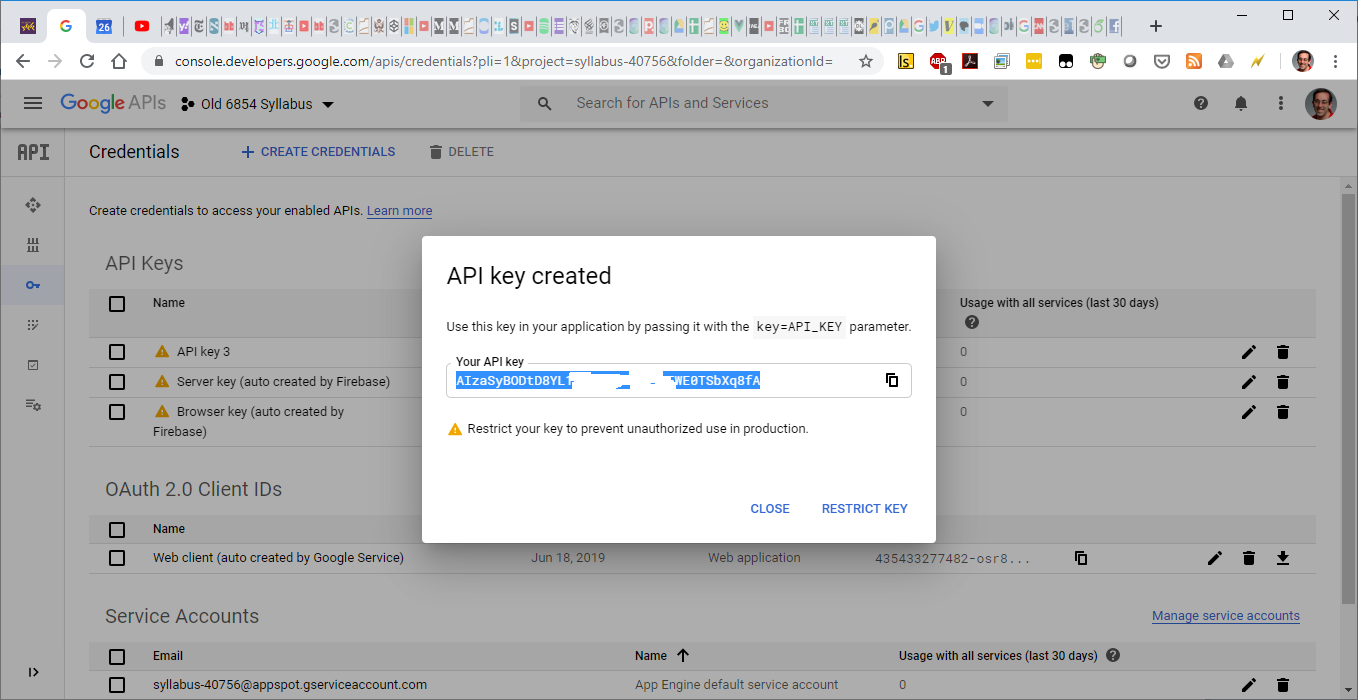
document.cookie only accesses cookie for domain of own page.iframe.contentDocument gives access to DOM inside iframeiframe.contentDocument returns nullelt.innerHTML<script src="http://my/my-attack.js"></script> how are you?
elt.innerHTML<script src="http://my/my-attack.js"></script> how are you?
< character with < entityelt.textContent does this<script> tags linking to other sitesSince #chi2020 is fully canceled, I want to point you all to a great paper led by my amazing colleague Tarfah Alrashed (not on Twitter) w/ other labmates under @karger. It is on ScrAPIr, a tool for end users to access web APIs without programming. Read ➡️ https://t.co/PlPZHsE5x3 pic.twitter.com/5yFgOONeZH
— Amy X Zhang (@amyxzh) March 27, 2020
Access-Control-Allow-Origin: header that specifies which origins are allowed to get the content.
Access-Control-Allow-Origin: * wildcard meaning anyone is a allowedOrigin: header specifying origin of requesting page


fetch() method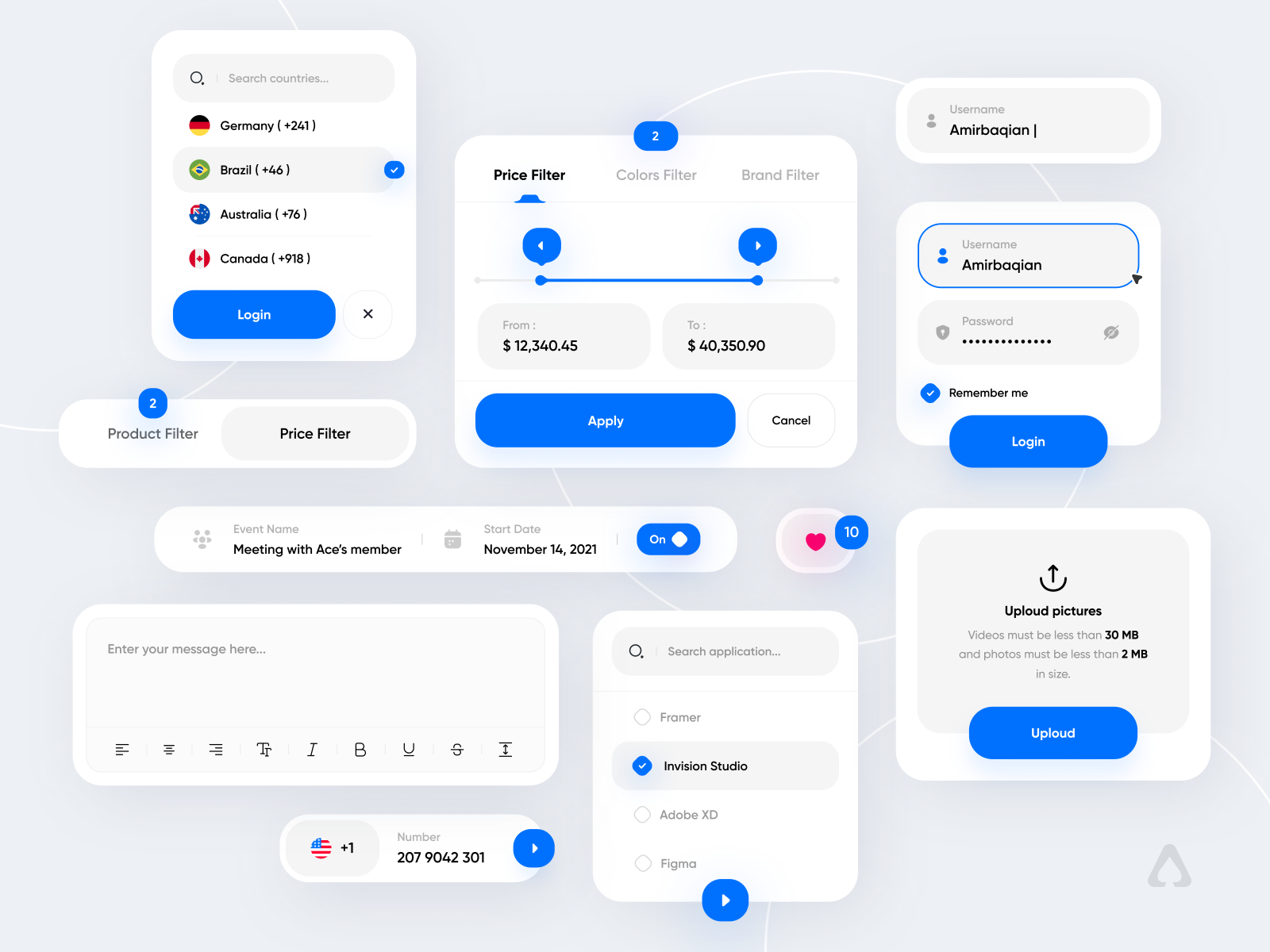


Joshua Tree National Park
Descriptive text goes here.
<div class="location-card">
  <div class="card-map-header">
    <img src="map.jpg" alt="Joshua Tree map">
    <div class="card-photo-ring">
      <img class="card-photo"
           src="turtle-rock.jpg"
           alt="Turtle Rock">
    </div>
  </div>
  <div class="card-body">
    <div class="card-title-row">
      <div class="card-titles">
        <h2 class="card-name">Turtle Rock</h2>
        <p class="card-subtitle">
          Joshua Tree National Park
        </p>
      </div>
      <span class="card-region">California</span>
    </div>
    <hr class="card-divider">
    <section class="card-about">
      <h3>About Turtle Rock</h3>
      <p>Descriptive text goes here.</p>
    </section>
  </div>
</div>
<location-card
name="Turtle Rock"
subtitle="Joshua Tree National Park"
region="California"
map-src="map.jpg"
photo-src="turtle-rock.jpg"
description="Descriptive text goes here.">
</location-card>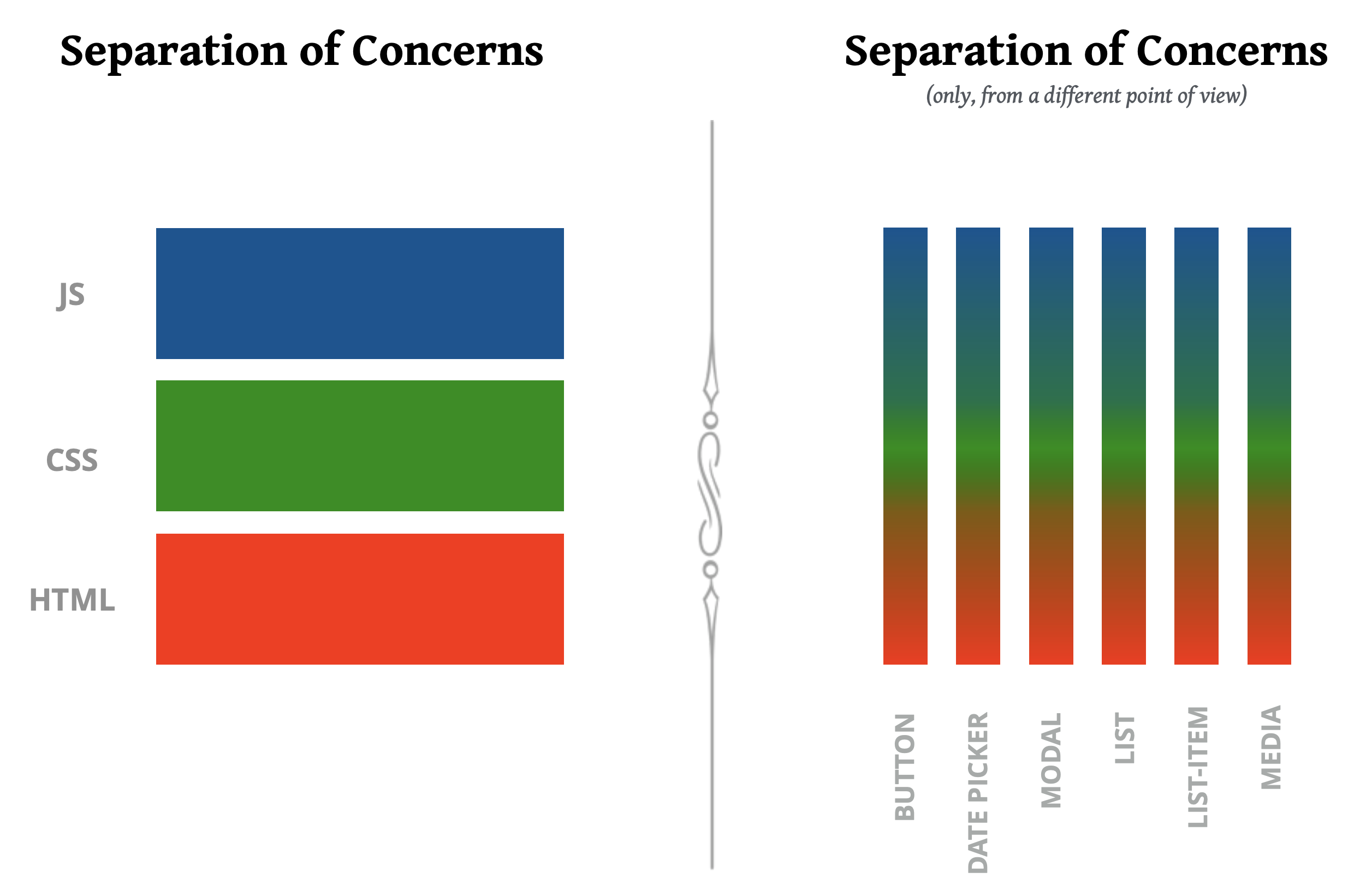
			my-app/
			├── index.html
			├── ButtonCounter/
			│   ├── ButtonCounter.js  ← JS logic + HTML template
			│   └── ButtonCounter.css
			└── ButtonCounterList/
			    ├── ButtonCounterList.js  ← JS logic + HTML template
			    └── ButtonCounterList.css
		import { ref } from "vue"

		export default {
		  setup() {
		    const count = ref(0)
		    return { count }
		  },
		  template: /*html*/`<button class="btn-counter" @click="count++">
		    Clicked {{ count }} times
		  </button>`
		}
setup() contains the component's logictemplate is the HTML as a JS template string
		.btn-counter {
		  font-size: 1rem;
		  padding: 0.5em 1em;
		  border-radius: 6px;
		  border: 2px solid #2563eb;
		  background: #fff;
		  color: #2563eb;
		  cursor: pointer;
		}
		<link rel="stylesheet" href="./ButtonCounter/ButtonCounter.css">
		<script type="module">
		import { createApp } from 'vue'
		import ButtonCounter from './ButtonCounter/ButtonCounter.js'

		createApp({
		  components: { ButtonCounter }
		}).mount('#app')
		</script>

		<div id="app">
		  <button-counter></button-counter>
		</div>
/*html*/ comment before the backtick as a hint:
		  template: /*html*/`<button class="btn-counter" @click="count++">
		    Clicked {{ count }} times
		  </button>`
		import { ref } from "vue"

		export default {
		  props: ['initialCount'],
		  setup(props) {
		    const count = ref(props.initialCount ?? 0)
		    return { count }
		  },
		  template: /*html*/`<button class="btn-counter" @click="count++">
		    Clicked {{ count }} times
		  </button>`
		}
		<div id="app">
		  <button-counter
		    initial-count="5"></button-counter>
		</div>
		import { ref } from "vue"

		export default {
		  props: ['initialCount', 'verb'],
		  setup(props) {
		    const count = ref(props.initialCount ?? 0)
		    return { count }
		  },
		  template: /*html*/`<button class="btn-counter" @click="count++">
		    {{ verb }} {{ count }} times
		  </button>`
		}
		<div id="app">
		  <button-counter
		    initial-count="5"
		    verb="Pressed"></button-counter>
		</div>
		import { ref } from "vue"

		export default {
		  props: {
		    initialCount: { type: Number, default: 0 },
		    verb: { type: String, default: 'Clicked' }
		  },
		  setup(props) {
		    const count = ref(props.initialCount)
		    return { count }
		  },
		  template: /*html*/`<button class="btn-counter" @click="count++">
		    {{ verb }} {{ count }} times
		  </button>`
		}
		<div id="app">
		  <button-counter
		    initial-count="5"
		    verb="Pressed"></button-counter>
		</div>
		import { ref } from "vue"
		import ButtonCounter from '../ButtonCounter/ButtonCounter.js'

		export default {
		  components: { ButtonCounter },
		  setup() {
		    const items = ref([1, 2, 3])
		    return { items }
		  },
		  template: /*html*/`<ul>
		    <li v-for="n in items" :key="n">
		      <button-counter :initial-count="n"></button-counter>
		    </li>
		  </ul>`
		}